For Kansas residential youth providers
Survey‑ready every shift.
Forstter: Backoffice is the operations app we built to run our own houses in Salina, and the system we’re using to prepare for CARF accreditation. Now your agency can use it too, and licensing is free.
Free for agencies · AI voice notes · DCF & KDADS aligned · HIPAA-designed
- Free to licenseNo license fee for agencies. Built to help, not to bill.
- Built inside a youth centerDesigned by the staff who run our emergency shelter and YRC II home.
- Built for CARF readinessThe same system our team is using on our road to CARF accreditation.
- Kansas standards built inOrganized around DCF placement standards, KDADS rules and K.A.R.
- Secure by roleHIPAA-designed, SOC 2 controls, role-based access and a full audit trail.
CARF Quality
& Compliance
Accreditation is won on evidence. This module keeps your policies, credentials, drills, inspections, grievances and record reviews in one place, so your team knows exactly where it stands long before the surveyor arrives.
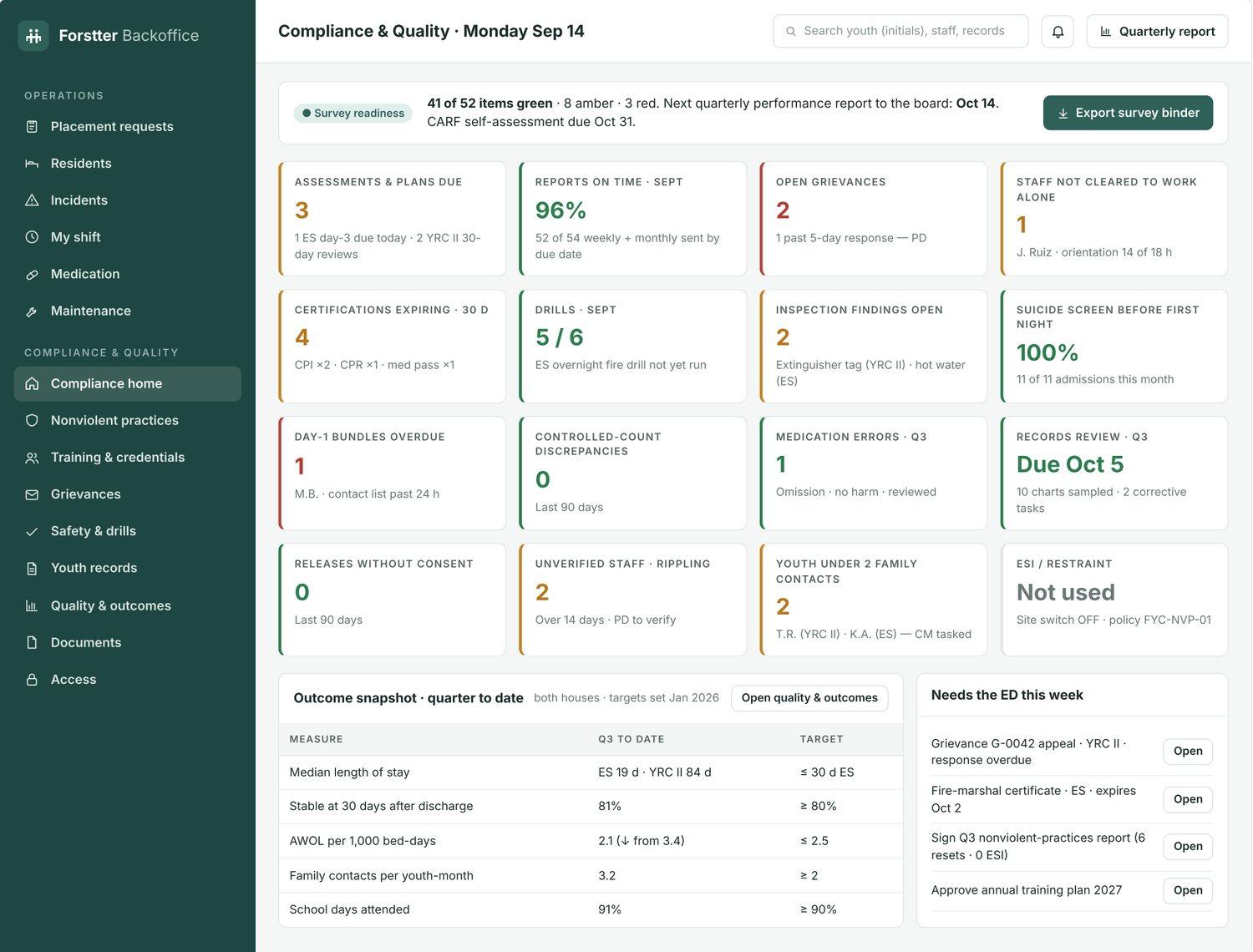
See your survey readiness at a glance
One screen shows every compliance item as green, amber or red, with the exact task behind each number.
- Readiness score across all your houses, e.g. “41 of 52 items green”
- Expiring certifications, open grievances, unrun drills and overdue plans flagged early
- Export a survey binder for your CARF self-assessment and on-site review
Policies mapped to the standards
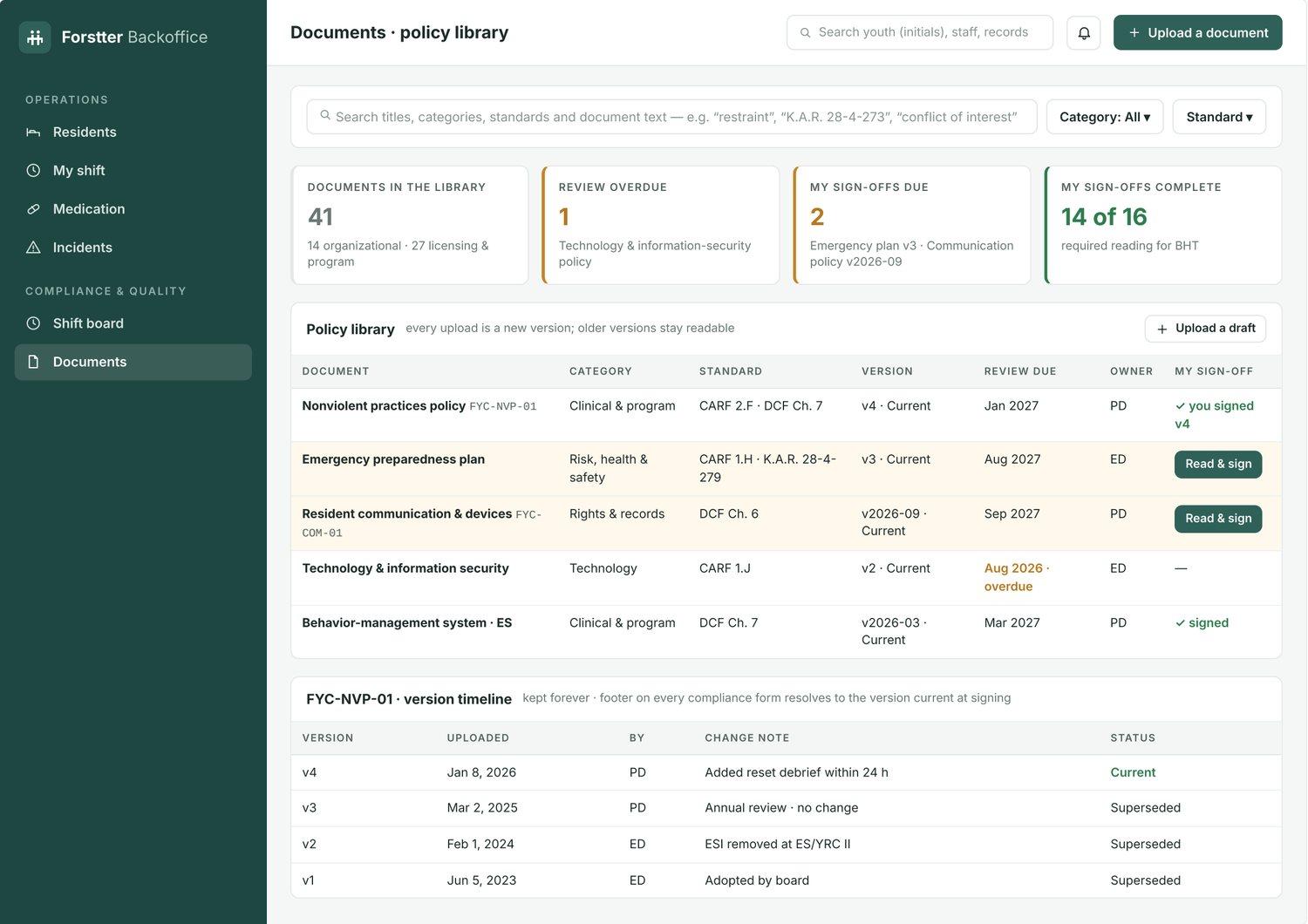
Every policy is tagged to the CARF, DCF and K.A.R. standard it satisfies, with version history surveyors can follow.
- Search by standard, category or policy text
- Staff read-and-sign tracking, with overdue reviews flagged
- Every version kept, so you can show what changed and when
Staff credentials that prove themselves
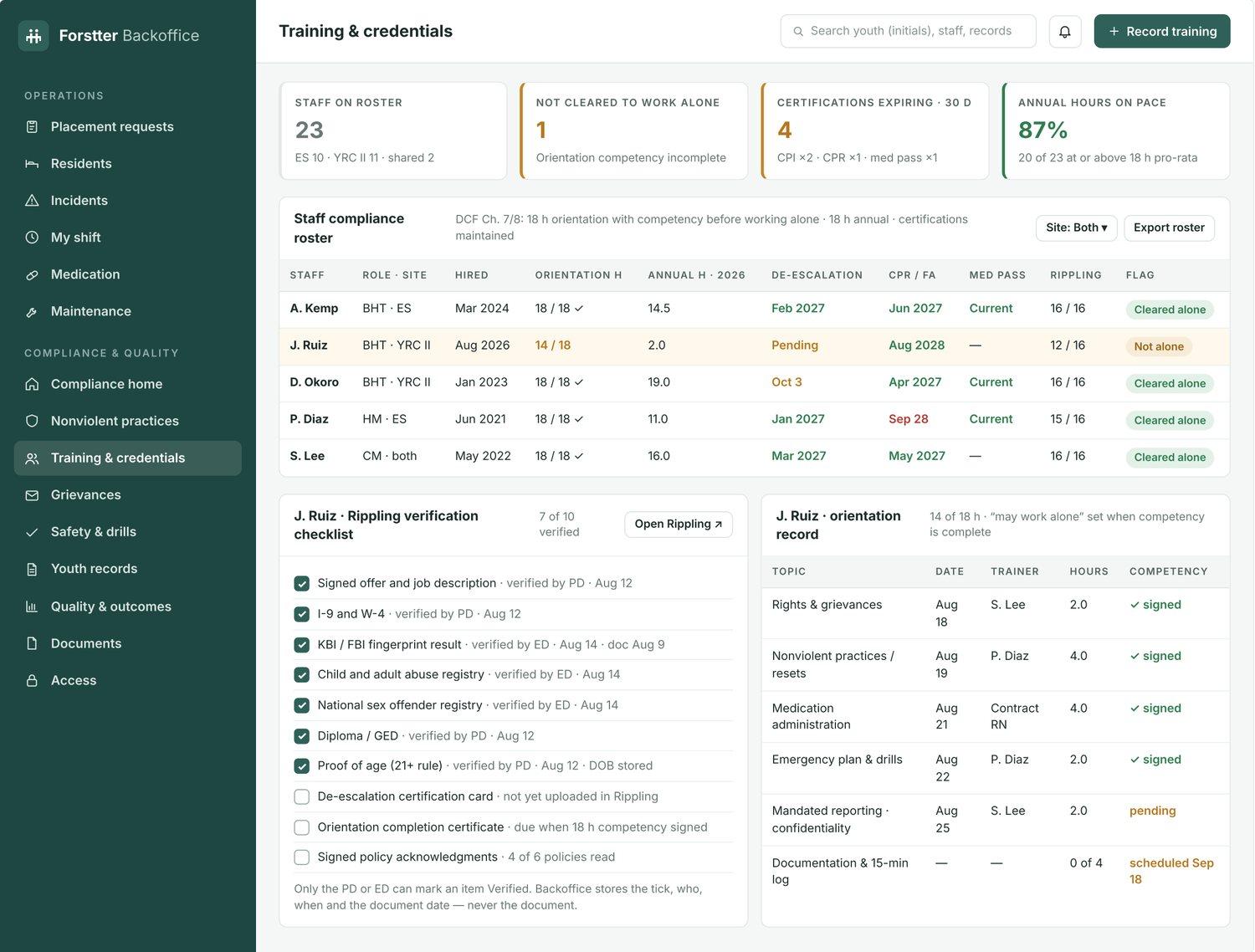
Orientation hours, competencies, CPR, de-escalation and med-pass certifications live on one roster, so you can see who is cleared to work alone.
- Background-check and hiring verification checklist for each employee
- Annual training hours tracked against your required pace
- Expiring certifications surfaced 30 days out
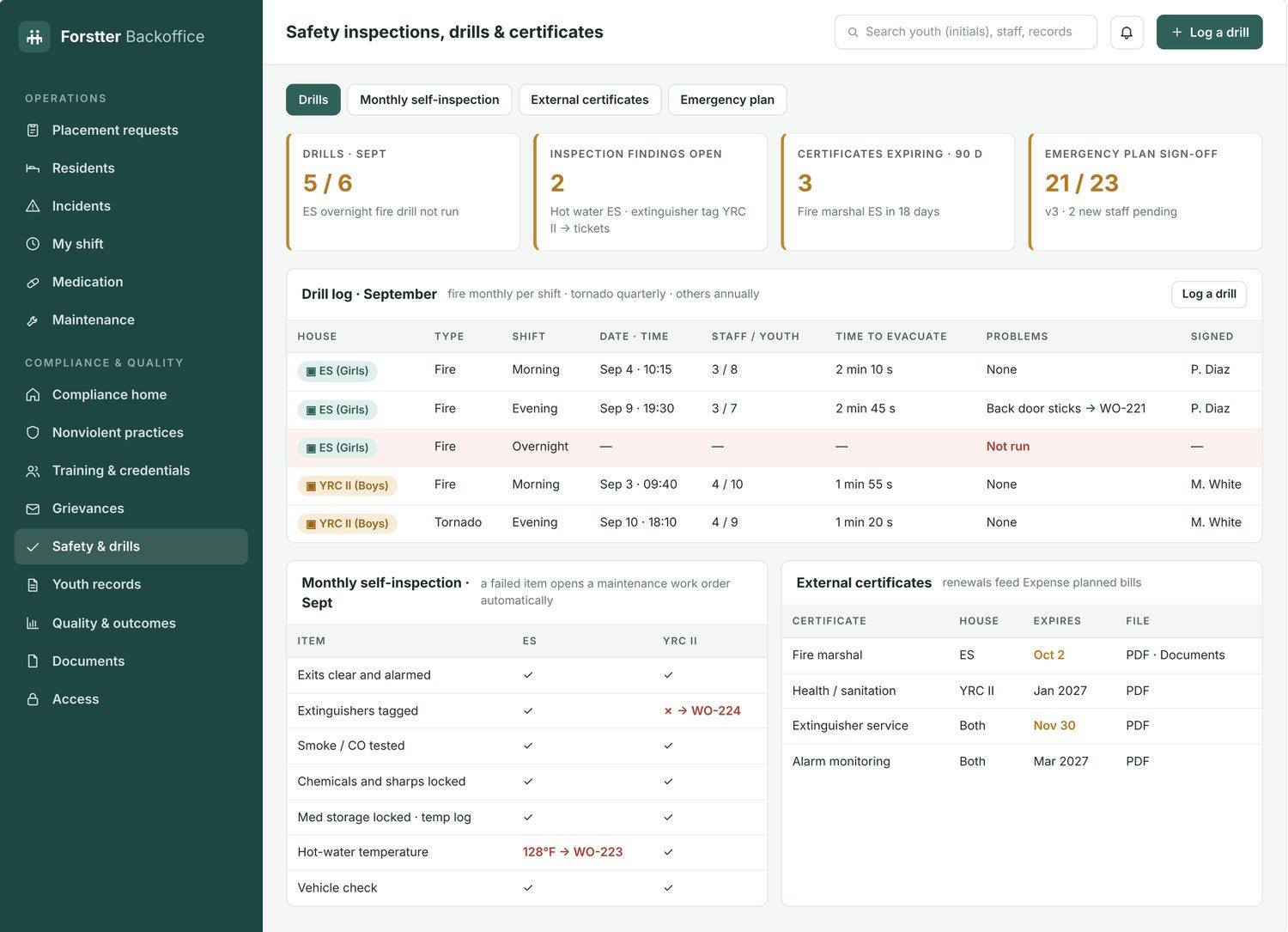
Health & safety, documented
Fire and tornado drills, monthly self-inspections and outside certificates are logged in one place, with the follow-up attached.
- Drill log by house, shift and time to evacuate
- A failed inspection item opens a maintenance work order automatically
- Fire marshal, health and alarm certificates tracked to expiry
13 pages of compliance, in one module
Everything CARF and Kansas licensing reviewers ask to see, connected to the work your staff already do every shift.
- 01Compliance home & survey binder
- 02Nonviolent practices & reset log
- 03Training & credentials
- 04Grievances & rights orientation
- 05Safety inspections, drills & certificates
- 06Contact & visitation log
- 07Youth compliance file
- 08Medication safety & MAR review
- 09Quality & outcome measures
- 10Release of information & records
- 11Shift board, ratios & sight checks
- 12Policy library
- 13Access permissions & audit log
A shorter road to accreditation
Load your policies
Upload your manual and tag each policy to the CARF and Kansas standards it covers.
Work creates the evidence
Shift checks, med passes, intakes and incidents feed the compliance record as staff work.
Close the gaps
Amber and red items become tasks with an owner and a due date, so nothing waits for survey week.
Walk in ready
Export your survey binder and show reviewers the record, not a stack of binders.
CARF accreditation is awarded by CARF International after an on-site survey of your programs. Forstter: Backoffice helps your team prepare and maintain the evidence; it does not guarantee accreditation. Screens show sample data, and youth are identified by initials only.
Less typing. More time with youth.
BHTs and Case Coordinators can speak their notes instead of typing them. Forstter: Backoffice uses AI speech-to-text to turn what they say into a clean, structured entry, so documentation takes minutes and attention stays on the young people in front of them.
- Tap and talkDescribe the shift, the incident or the contact in your own words, right from a phone or tablet.
- AI drafts the noteYour words become a written note with the youth, house, time and entry type filled in, plus any follow-up you mentioned.
- Review and signStaff check the draft, edit anything that’s off, and sign. Nothing is saved to the record without their approval.
Works for shift notes, 15-minute check comments, incident narratives, contact and visitation logs, and case notes. Youth are identified by initials, and every AI draft is reviewed by a person before it becomes part of the record.
“J.M. had a calm evening. Finished homework, played basketball with staff, took evening meds at eight. Was upset after a missed call with mom, talked it through and was settled by nine-thirty. Case coordinator should follow up about rescheduling the call.”
The rest of the app
One record for every shift
Compliance works because it is built into the screens your staff already use. Intake, shifts, medication and incidents all write to the same client file.
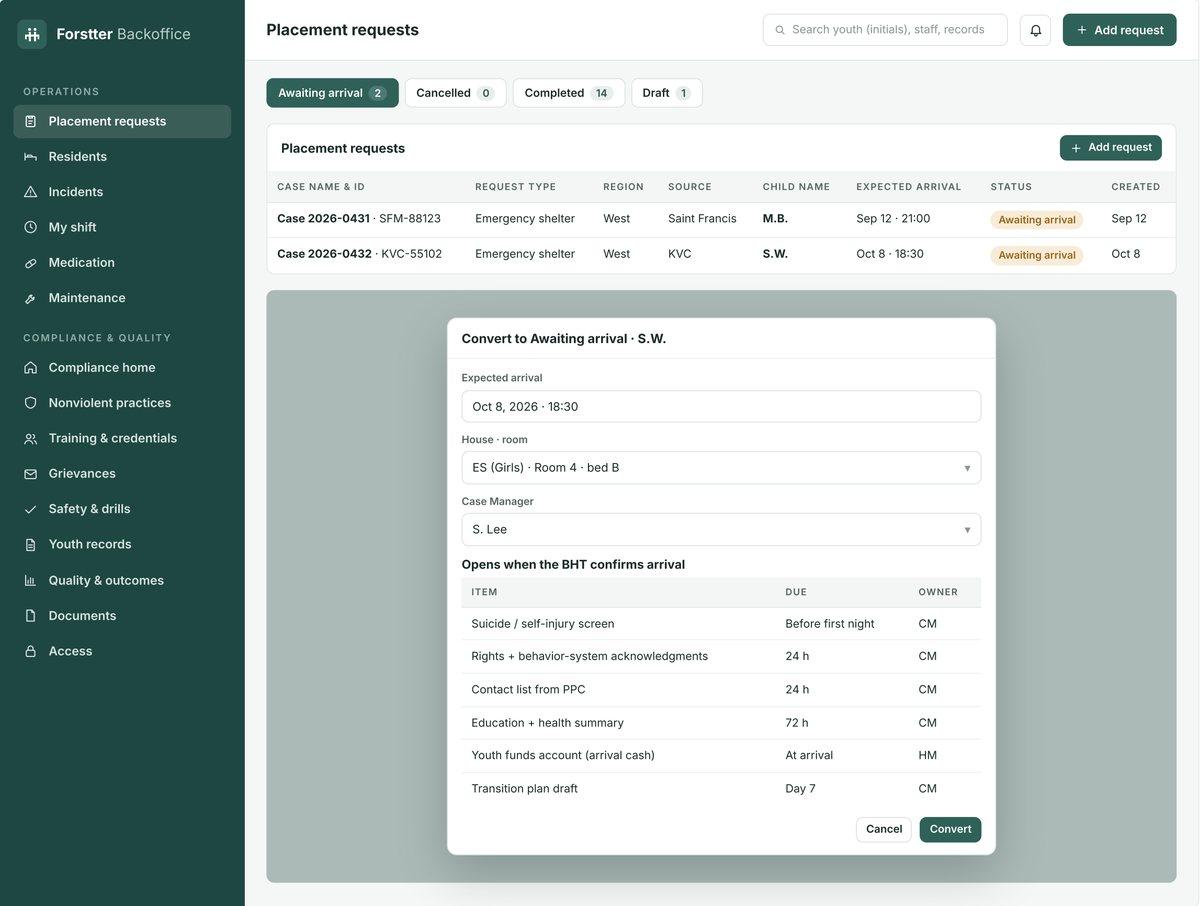
Placements & intake
Convert a placement request to an arrival, assign the house, bed and case manager, and the day-one compliance items open automatically when the BHT confirms arrival.
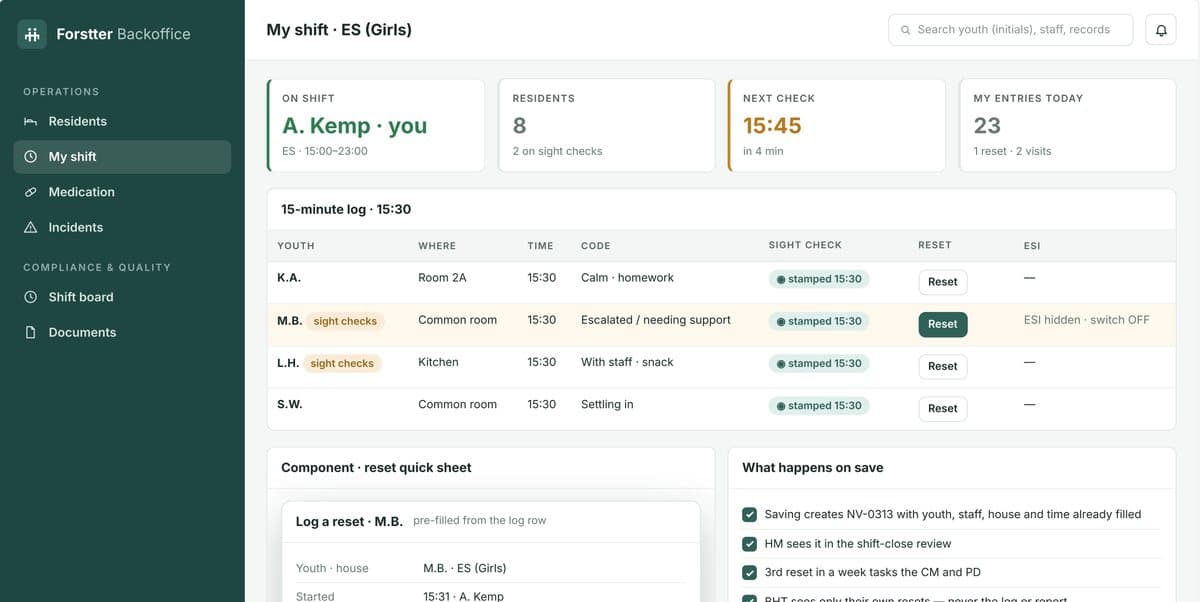
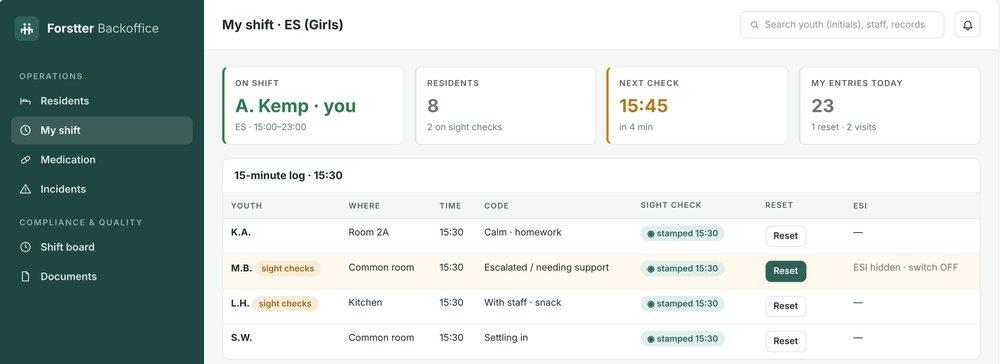
My shift & 15-minute checks
BHTs log checks, sight checks and resets from one screen. Each entry is stamped with the youth, staff, house and time, ready for review at shift close.
Medication
MAR passes, two-signature controlled counts at shift change and error reports.
Incidents
Incident reports linked to resets, grievances and supervisor debriefs.
Transportation
Appointments and transports scheduled and logged to the youth’s record.
Funder reports
Weekly and monthly reports with compliance counts computed for you.
Who it’s for
The right view for every seat
- Executive DirectorSurvey readiness, board reports and what needs you this week.
- Program DirectorCredentials, grievances, policy sign-offs and record reviews.
- Case CoordinatorCaseload compliance, plans and contacts, with case notes dictated by voice.
- House ManagerShift close, drills, inspections and controlled counts.
- BHTTheir shift and their youth. Shift notes spoken, not typed.
Free licensing
Free for your agency.
Licensing Forstter: Backoffice is free for agencies. We built it to raise the standard of care for youth, not to sell software. Tell us about your houses and programs, and we’ll walk you through the CARF Quality & Compliance module, AI voice notes and the rest of the app using workflows like yours.